
Landing page banner


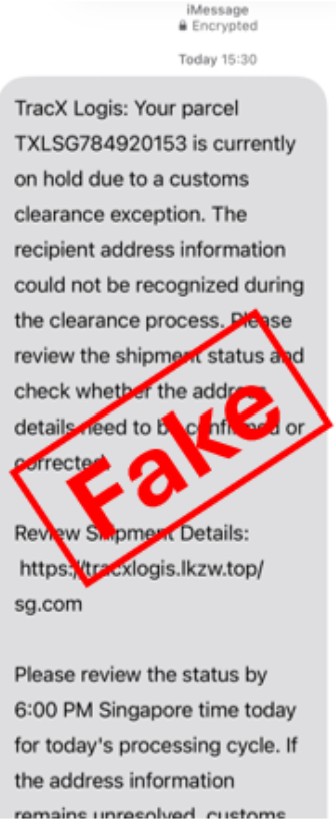
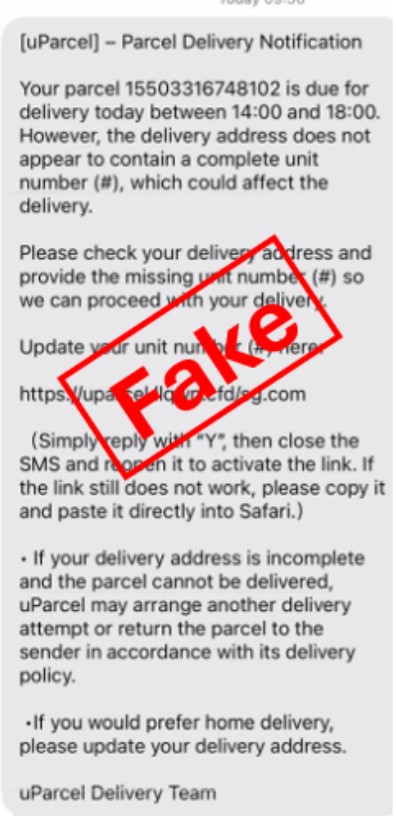
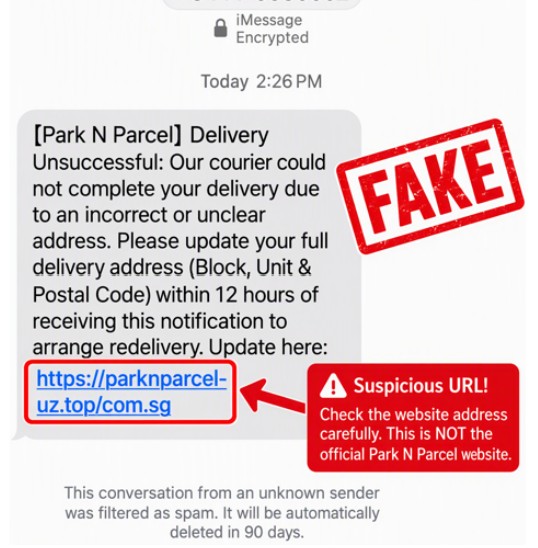
The Police would like to alert members of the public to phishing scams involving impersonation of courier companies such as TracX Logis, uParcel and Park N Parcel, through Apple IMessage.
In this scam variant, victims would receive messages that appear to belong to recognised couriers such as TracX Logis, uParcel and Park N Parcel via Apple iMessage, originating from overseas numbers with country codes such as +855 (Cambodia), +84 (Vietnam), +1 (North America), +63 (The Philippines), or from email addresses comprising random alphanumeric strings. These messages would inform recipients of failed parcel delivery due to invalid address and urge them to update their address within a stipulated timeframe (e.g. by 6pm or within 12 to 24 hours) via a link that closely resembles the courier’s legitimate URL. In some instances, the messages also include the legitimate customer support number of the courier company. Some messages would also direct victims to reply "Y" to receive a clickable link.
Upon clicking the link, victims would be redirected to a spoofed website that closely resembling the courier company’s official website, where they would be prompted to pay a small “re-delivery service fee”. Victims would then be asked to provide their banking details and One-Time Password (OTP). They would only discover that they had been scammed upon noticing unauthorised transactions made to their cards or bank accounts.
Members of the public are advised not to reply to such IMessages, and to adopt the following precautionary measures:
- ADD - Add the ScamShield app and set security features (e.g. set up transaction limits for internet banking transactions, enable Two-Factor Authentication (2FA), Multifactor Authentication for banks and e-wallets, use the Money Lock feature of your bank to “lock up” a portion of your money so that it cannot be transferred out digitally by anyone, further protecting your savings from scams).
- CHECK - Check the legitimacy of courier-related messages and links using the ScamShield app or through the courier’s official website. Verify directly with the courier using contact details obtained from official sources before providing any information or making payment. Apple users are also advised to keep their devices updated with the latest software version to benefit from the latest security and anti-scam safeguards.
- TELL - Tell the authorities, family, and friends about scams. If you suspect that you have fallen victim to a scam, contact your bank immediately to report and block any fraudulent transactions, and lodge a Police report.
Members of the public are advised to update their iMessage settings by ensuring that “Filter Unknown Senders” and “Filter Spam” are turned on (refer to Annex B), and to report suspicious messages using the in-app reporting function (refer to Annex C) to protect themselves against such scams.
If you are in doubt, call the 24/7 ScamShield Helpline at 1799 to check. Fighting scams is a community effort. Together, we can ACT Against Scams to keep our community safe.
Annex A
Screenshots of Fake Delivery Message
Annex B
Steps to Activate “Screen Unknown Senders” and “Filter Spam”
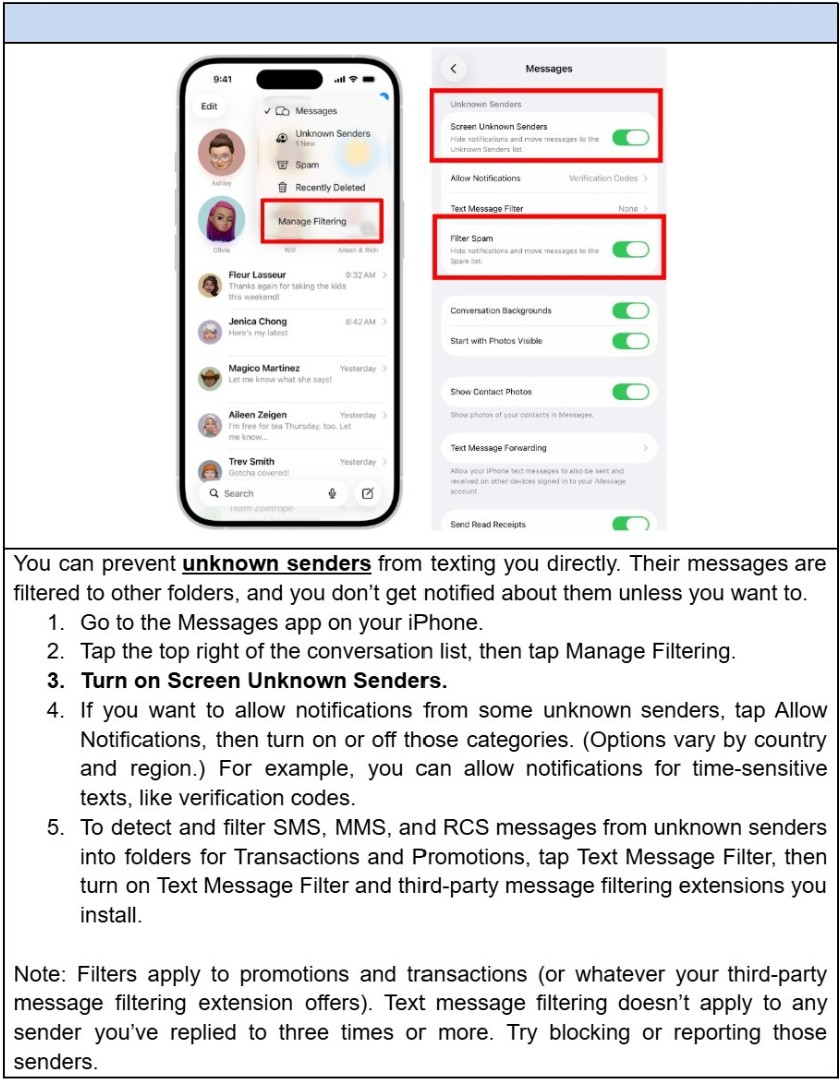
Steps extracted from https://support.apple.com/en-sg/guide/iphone/iph203ab0be4/ios
Annex C
Steps to Delete and Report Scam on iMessage
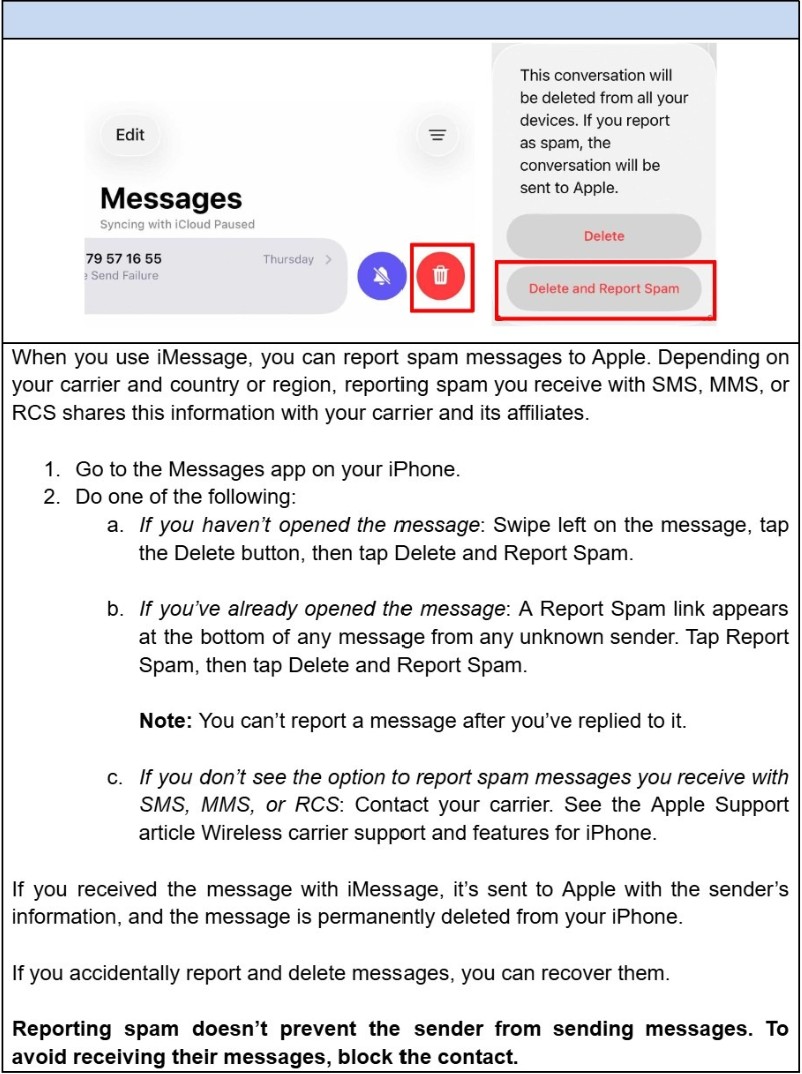
Steps extracted from https://support.apple.com/en-sg/guide/iphone/iph3f94d910d/ios
PUBLIC AFFAIRS DEPARTMENT
SINGAPORE POLICE FORCE
03 November 2026 @ 10:35 PM