
Landing page banner


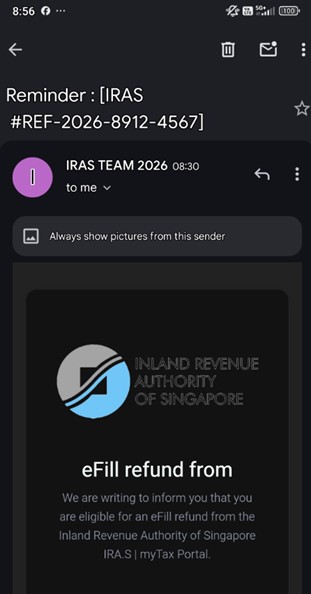
The Police would like to alert members of the public to a phishing scam variant featuring scammers impersonating the Inland Revenue Authority of Singapore (IRAS) and targeting victims via e-mail.
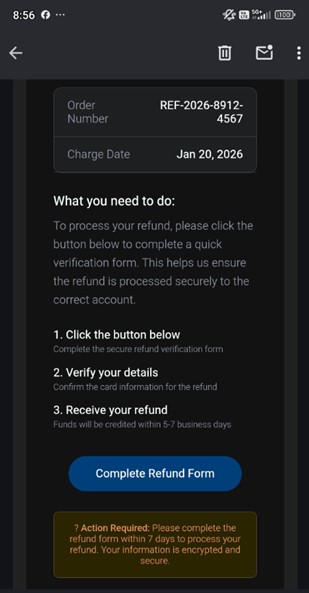
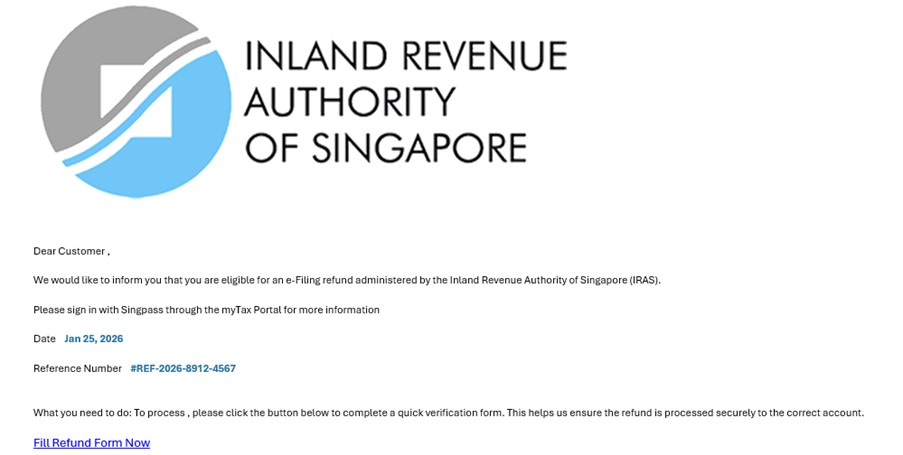
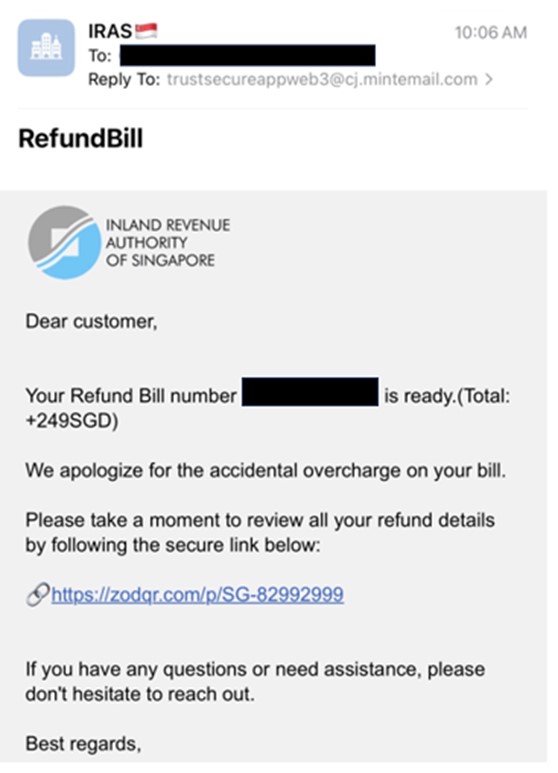
In this scam variant, victims would receive unsolicited emails from scammers purportedly from “IRAS”, informing that they were eligible for tax refunds. The victims would be asked to click on a link to process the application. The link redirects the victims to a Singpass verification page that would prompt them to provide their personal credentials such as NRIC or Singpass login details. The victims would then be prompted to provide their banking credentials or card details. They would only discover that they had been scammed when they made checks with IRAS.
The Police would like to advise members of the public to ignore dubious clickable links that are sent through emails or SMSes claiming to be from IRAS. IRAS will not ask taxpayers for their banking credentials or card details through emails or SMSes for tax refund purposes. Any tax refunds are automatically credited to the taxpayers’ bank account registered with IRAS or their PayNow account linked to NRIC/FIN/UEN. IRAS does not process tax refunds to credit or debit cards. Taxpayers can check for updates on any refund in IRAS’ myTax Portal. For the latest tax-related scams, members of the public may visit IRAS’ scam advisory at go.gov.sg/iras-scam.
The Police would like to advise members of the public to adopt the following precautionary measures:
- ADD – ScamShield app to block scam calls and filter out scam SMSes. Set up security features (e.g. set transaction limits for internet banking/credit and debit card transactions, enable 2FA or multifactor authentication for e-wallets, use the Money Lock feature provided by your bank to “lock up” a portion of your money so that it cannot be transferred out digitally by anyone in particular scammers, further protecting your savings from scams).
- CHECK – scam signs with official sources such as the ScamShield App. Call and check with the 24/7 ScamShield Helpline at 1799.
- TELL – authorities, family, and friends if or when you encounter scams. If you suspect that you have fallen victim to a scam, call your bank immediately to report and block any fraudulent transactions as well as make a police report.
For more information on scams, members of the public can visit www.scamshield.gov.sg. Fighting scams is a community effort. Together, we can ACT Against Scams to safeguard our community!
Annex A
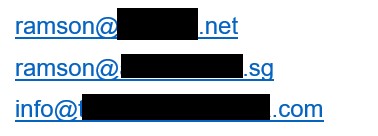
List of email addresses used by scammers to send the phishing emails
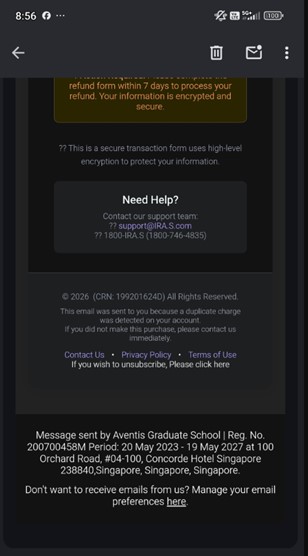
Screenshots of Phishing Emails
PUBLIC AFFAIRS DEPARTMENT
SINGAPORE POLICE FORCE
29 January 2026 @ 10:30 PM